Saving Your Credit Card Information to your Place de Arts Account
STEP 1: Log into your account: Online Registration
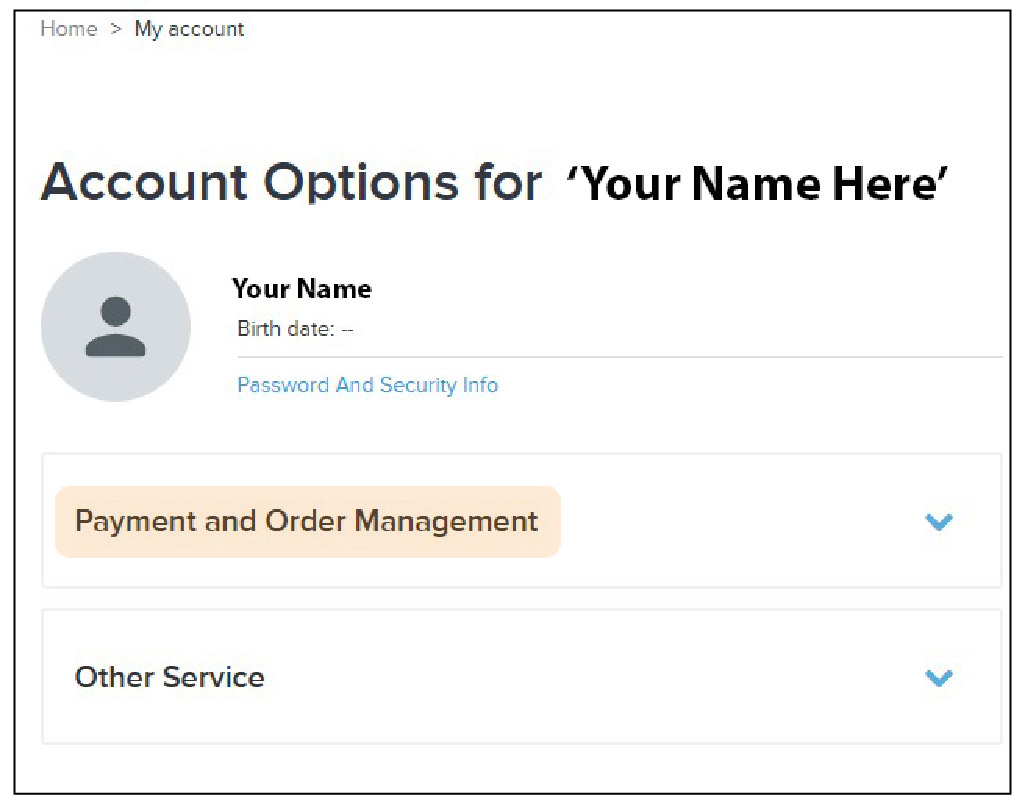
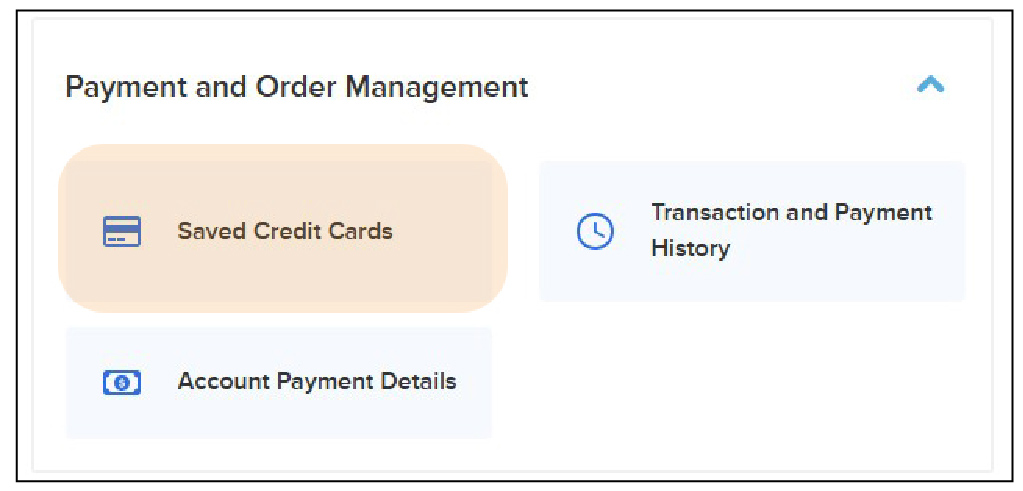
STEP 2: On your Account Options page, under the Payment and Order Manager section, select Saved Credit Cards .
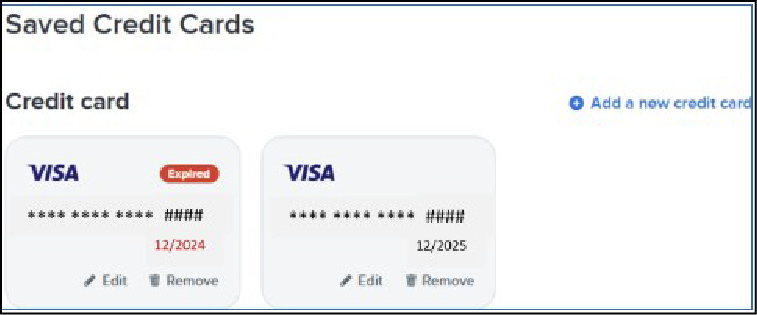
STEP 3: On the Save Credit Cards screen you can Add a new credit card or Remove an expired card.
If you require further assistance please reach out to our Reg Desk for help: info@placedesarts.ca, or call 604 664 1636